
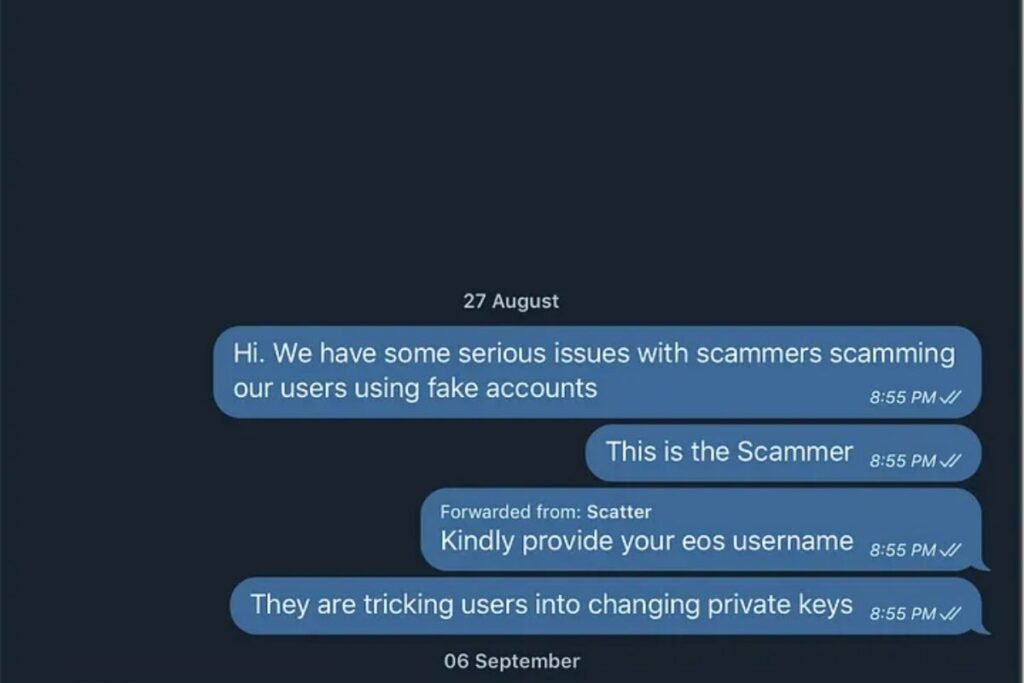
A Telegram screenshot has a special kind of authority. It looks like a receipt. It feels like you’re peeking behind the curtain, catching someone saying the quiet part out loud. That’s why “leaked chats” travel fast, and why they can do real damage before anyone asks the boring questions.
The problem is that the boring questions matter more than ever. A screenshot is no longer evidence of a conversation. It’s evidence of an image, and images are easy to manufacture.
This is a field guide to how convincing fake Telegram chats are constructed, what details forgers obsess over, and the small inconsistencies that often give them away.
Why fake Telegram chats work
Screenshots piggyback on habits. We’ve all seen Telegram: the bubbles, the timestamps, the double check marks, the familiar wallpaper. The interface is simple enough to mimic and specific enough to feel “official.” Add a hot-button topic, a recognizable name, or a profile photo pulled from a real account, and the viewer does the rest.
It also helps that Telegram threads are rarely verifiable from the outside. Unlike a public tweet you can look up, most private chats are sealed. That creates a one-way street: a screenshot can be shared widely, but the alleged recipient can’t “open the thread” for you unless they choose to.
The modern forgery pipeline (how these screenshots are made)
The old way was clumsy: edit a real screenshot in Photoshop, type new text, hope nobody notices the font and spacing look off. The new way is closer to desktop publishing.
A common approach is to use a chat generator that reproduces platform UI and exports a clean image. Tools like fake chat generators exist for lots of platforms, and a user can build a plausible thread in minutes. For Telegram specifically, someone can start with a template, pick a device frame, set message bubbles, add timestamps, and export a polished image. If you’ve ever seen a meme built from a fake telegram chat, you’ve seen the basic mechanics.
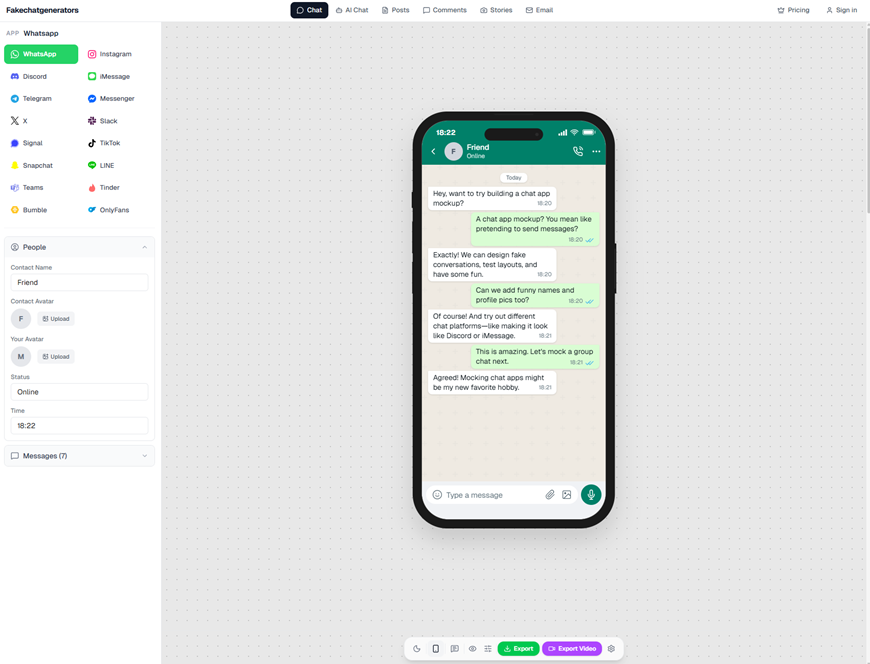
fakechatgenerators.com lets you mock up chat screenshots across 16 platforms
From there, the screenshot often gets “aged” to feel real: a slight blur, a bit of compression, maybe a crop that hides the status bar. Sometimes the creator takes a second pass in an editor to introduce imperfections, because perfection reads as fake.
What makes a fake look convincing
If you want to spot a forgery, it helps to understand what the person making it is trying to achieve. A good fake is less about perfect UI and more about believable human rhythm.
1) A storyline that matches how people actually text
Convincing fakes rarely read like a script. They include small talk, interruptions, “wait,” half sentences, and a few typos. They also avoid being too neat. Real conversations are messy, especially when emotions are involved.
A telltale sign of fabrication is when every message advances the plot with zero wasted words. That’s how press releases read, not chats.
2) Selective cropping that controls what you can verify
Most viral “leaks” are cropped to show just enough to be explosive, and not enough to be checkable. The crop will conveniently cut out:
- The top bar (time, network, battery) that can anchor a screenshot to a device and time window
- The chat header, where usernames, phone numbers, and verification badges might appear
- The bottom input field, where UI differences between Telegram versions can show up
Cropping is not proof of fakery, but it is a tactic. Investigators treat missing context as a choice, not an accident.
3) UI details that signal “Telegram” at a glance
A forger wants immediate recognition. So they focus on the pieces casual viewers notice first: bubble color, the alignment of outgoing vs incoming messages, timestamps, and check marks.
They may also add “advanced” realism: forwarded tags, reply quotes, voice message bars, stickers. Ironically, this is where many fakes break. The more complex the feature, the more likely the creator gets one tiny thing wrong.
The red flags: how to interrogate a Telegram screenshot
You don’t need forensic software to catch many fakes. You need patience and a habit of zooming in.
Check the typography like you’re checking a passport
Telegram’s text rendering has a particular feel on iOS vs Android: spacing, weight, and anti-aliasing differ subtly. Look for:
- Letters that look too sharp or too uniform (common in generator outputs)
- Inconsistent font weight between messages
- Weird line breaks where a real UI would wrap differently
If some parts are crisp and others are smudged, ask why. Real screenshots typically degrade uniformly when compressed and reposted.
Audit timestamps and time logic
People forget that time is a plot hole generator.
- Are messages coming at impossible intervals for their length?
- Does the conversation jump between “Today” and specific dates in a way that makes sense?
- If the screenshot shows multiple minutes, do the times progress naturally?
Also watch for formatting. Telegram’s timestamp style can change with locale and OS. A screenshot that mixes styles in one thread should raise an eyebrow.
Look at check marks, but don’t overtrust them
Check marks are persuasive. They imply delivery and reading, a built-in lie detector. But they’re also easy to fake.
Examine whether the check marks align consistently with timestamps. In some forged images, the icon spacing is slightly off, or the marks look like they were pasted as a separate layer.
And remember: even in real Telegram, check marks do not prove who held the phone. They only reflect what the app believes happened on an account.
Profile photos and names: verify the easy stuff
Fraudsters often grab a profile photo from a public account and pair it with a similar name. That’s enough to fool a fast scroll.
Questions to ask:
- Is the displayed name exactly how that person formats it publicly (middle initials, emojis, punctuation)?
- Does the profile photo look like it was resized awkwardly or cropped differently than Telegram typically displays?
- If the screenshot claims to involve a known figure, is there any evidence of their verified identity beyond a name and picture?
It sounds basic, but basic checks catch a lot.
Compression tells a story (sometimes)
If the image has been passed around, it will often show compression artifacts. That alone is normal. What’s interesting is where the artifacts appear.
- If text edges are clean but the background is heavily compressed, that can suggest text was added later.
- If only one message bubble has different noise or sharpness, that’s a classic sign of patchwork editing.
- If the entire image has consistent artifacting, it could be real, or it could be a generator export that was intentionally degraded.
Consistency matters more than quality.
“Too perfect” alignment and spacing
Interfaces have quirks. Real screenshots include tiny inconsistencies: subpixel shifts, imperfect tap highlights, or slight differences between bubbles depending on message length and emoji.
Generators often produce a mathematically neat layout. If every bubble margin looks identical and every element is perfectly centered, pause. Real mobile UIs are consistent, but not sterile.
When you need a tool, not just a hunch
Sometimes a screenshot is almost right. Or the stakes are high enough that “looks fake to me” is not an acceptable standard. That’s when you move from visual skepticism to structured analysis.
An automated check won’t tell you what was said in the chat, but it can help answer a narrower question: does the image show signs of generation or tampering?
That’s where an ai image detector can fit into a workflow. Sightova positions itself as a detector for AI-generated media, NSFW content, violence, and document tampering, and it claims 98.7% detection accuracy across 50+ generative models with sub-150ms latency. In practice, that’s useful as a screening step, especially for teams triaging lots of incoming “evidence” under deadline pressure.
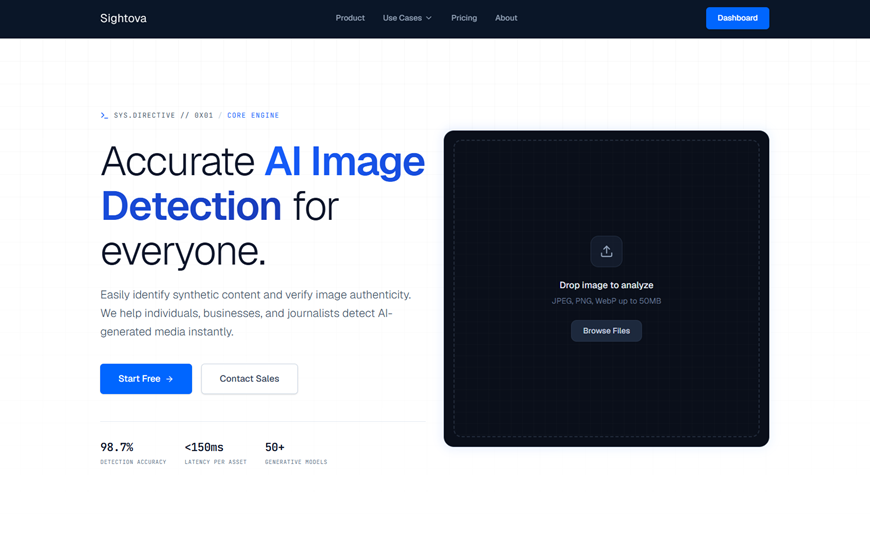
sightova.com flags AI-generated, tampered, NSFW, and violent imagery in milliseconds
One caution: treat any detector result as a lead, not a verdict. Use it to decide what to scrutinize next, not as a substitute for scrutiny.
A practical checklist for editors, investigators, and regular people
If you’re trying to decide whether to share, publish, or act on a Telegram screenshot, run through this in order:
- Ask for provenance. Who captured it? When? On what device? Why is this the only image?
- Request more context. A longer scroll, adjacent messages, or a screen recording that shows entering the chat thread.
- Zoom in on UI specifics. Font rendering, bubble padding, timestamps, check marks, reply formatting.
- Check internal logic. Do the message timings, tone shifts, and wording feel like two humans, not one author?
- Look for editing seams. Different noise patterns, inconsistent blur, pasted icons, mismatched compression.
- Escalate to tooling if needed. Use detection and tamper checks as part of a broader verification process.
If the person sharing the screenshot refuses every request for context, that’s a signal too.
The uncomfortable truth: “real” doesn’t always mean “honest”
Even if a screenshot is authentic, it can still mislead. Messages can be selectively omitted. Threads can be rearranged across days. A chat can be real but presented without the earlier provocation that changes its meaning. Telegram also allows message deletion in many contexts, which means a “full thread” might not be full.
So the goal isn’t just to catch fakes. It’s to resist the shortcut a screenshot offers. A conversation is evidence only when you can place it in time, context, and identity with care.
The next time a Telegram chat “leak” drops into your feed, treat it like any anonymous tip: interesting, possibly important, and not yet true.